
If some load cases appear in blue and cannot be deleted, this usually means they are controlled by another definition in the model. In other words, they are not fully independent and therefore cannot be removed directly from the load case list.
Why this happens
A common reason is that the load cases belong to dependent load subgroups, where one subgroup is linked to another in a master/slave relation. In that situation, the dependency between the subgroups and their load cases prevents direct deletion until the master/slave relation is removed.
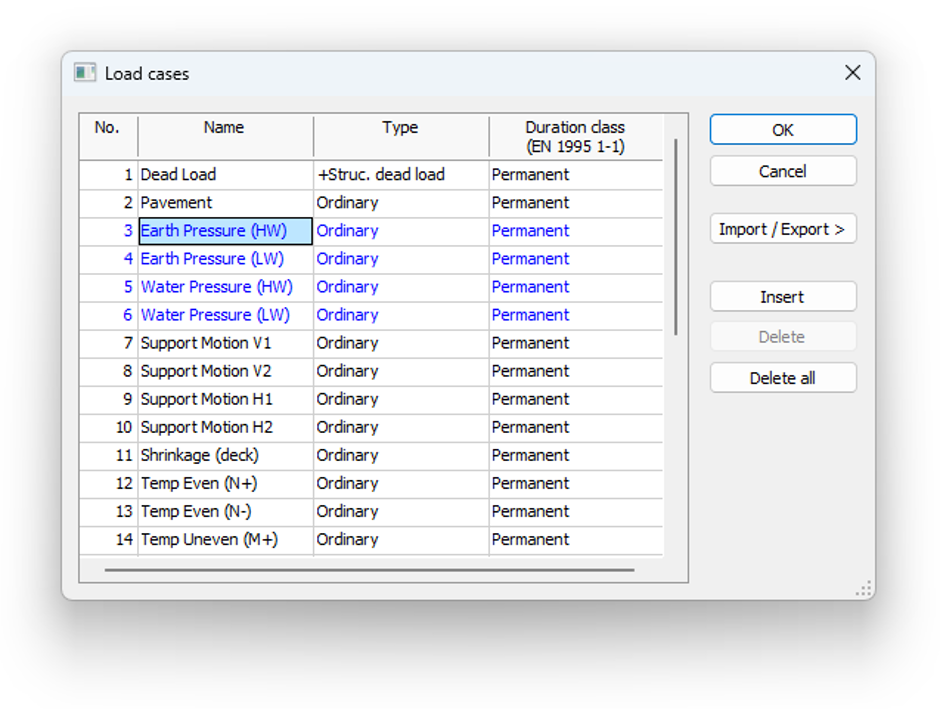
Figure 1. Dependent load cases are shown in blue and cannot be deleted directly from the Load cases dialog.
Another possible reason is that the load cases were created by the moving load function. Moving loads generate a series of load cases automatically along a defined path or area. Because these load cases are generated from the moving load definition, they cannot be removed in the same way as manually created independent load cases.
How to solve it
If the issue is caused by dependent load subgroups, open the load group settings and remove the master/slave relation by changing the slave setting to “-”. Once the subgroup is no longer linked to the master group, the load cases become editable again and are shown in black instead of blue.
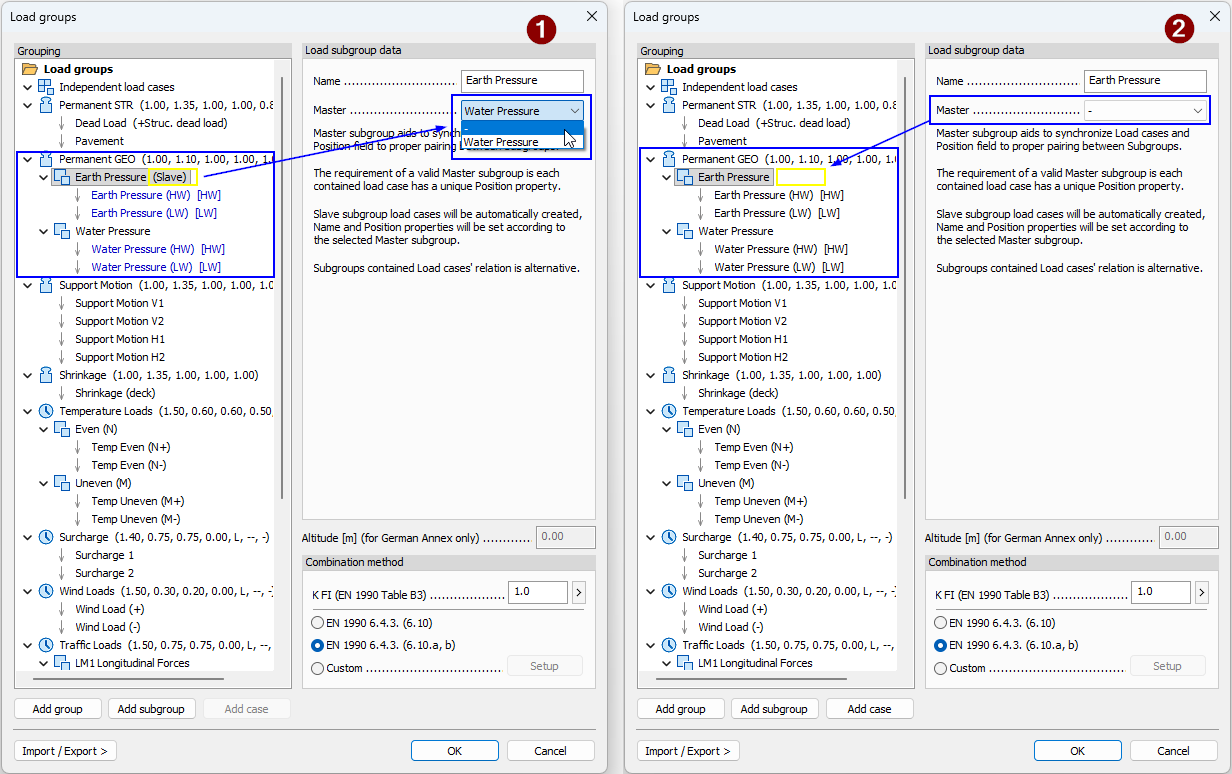
Figure 2. Removing the master/slave relation in Load groups breaks the dependency and makes the load cases editable again.
Load cases generated by moving loads
If the load cases were generated by a moving load, erase the moving load object in the model view. These load cases are controlled by the moving load definition, which is why they are removed by editing or erasing the moving load object itself.
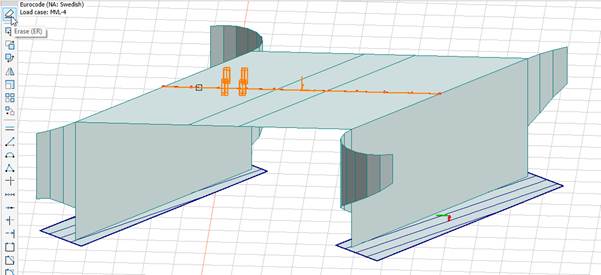
Figure 3. Load cases generated by a moving load are removed by erasing the moving load object in the model view.
Summary
Blue or locked load cases in FEM-Design are usually controlled by a parent definition rather than created as standalone load cases. In most cases, this is due to a master/slave relation between load subgroups. In other cases, the load cases may be generated by a moving load. To remove them, edit or erase the parent definition rather than trying to delete the dependent load cases directly.